
This service is exclusively available for compatible, fully accessible devices with an open Settings menu.
When successfully completed, the service will permanently remove the iCloud account from the device.
The following devices are not eligible for this service:
Before checking compatibility, make sure the device is connected to a stable Wi-Fi network.
Please complete all three checks below before placing your order. The entire process should take approximately 1 minute.
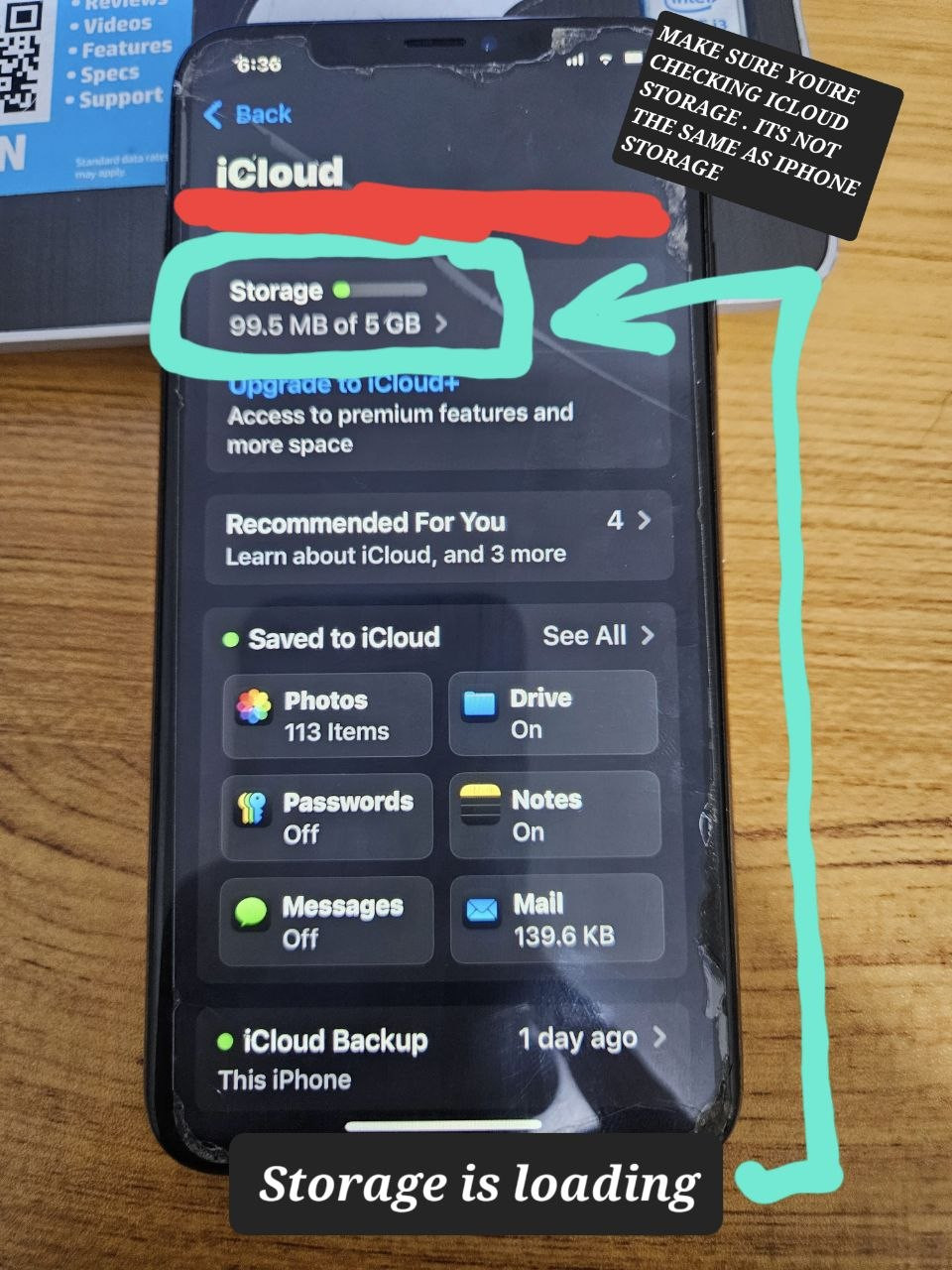
Open the device's iCloud/Apple Account settings and select the account name.
Confirm that the iCloud Storage section loads correctly.
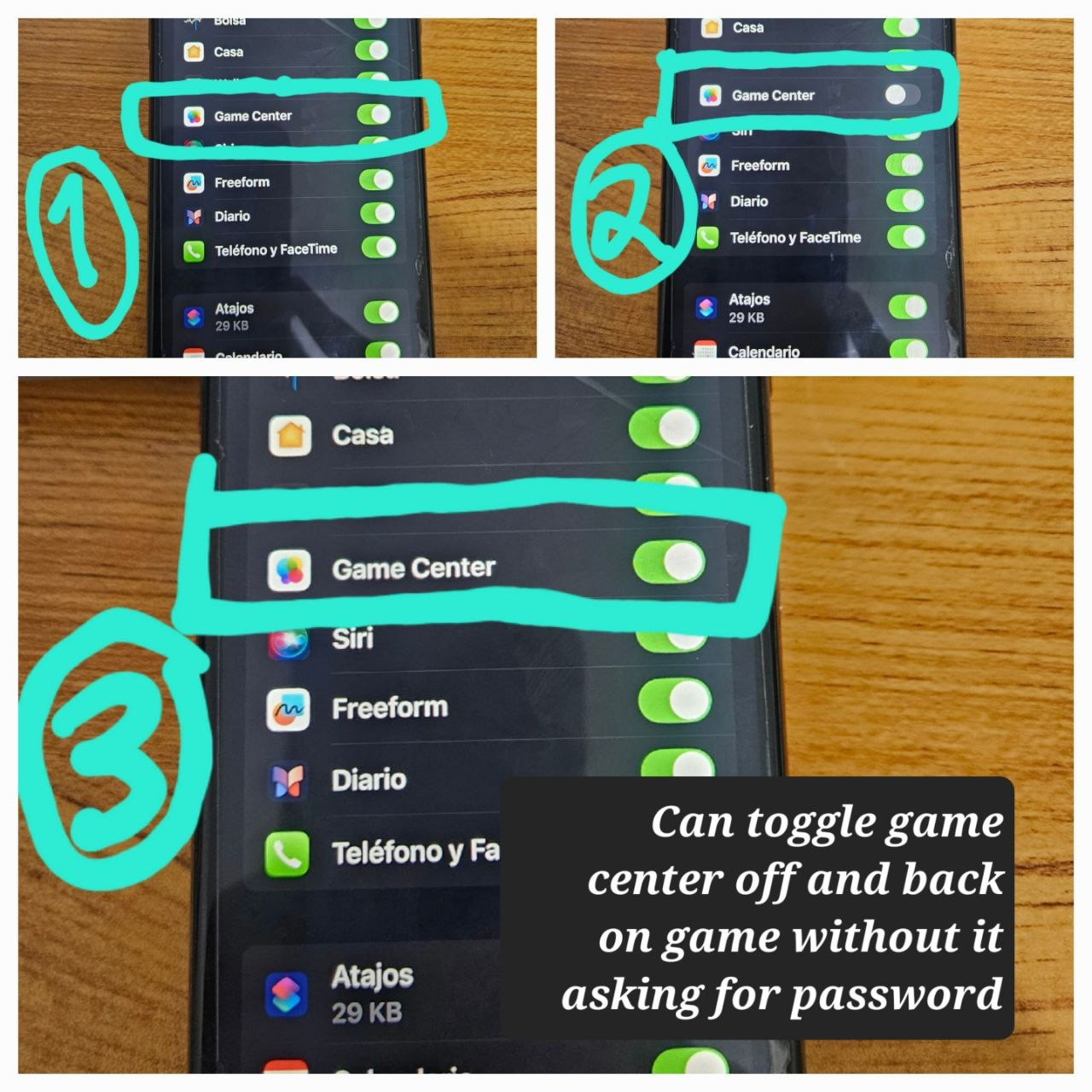
Navigate to:
Settings → Apple Account → iCloud → Show All → Game Center
Try turning Game Center OFF and then back ON.
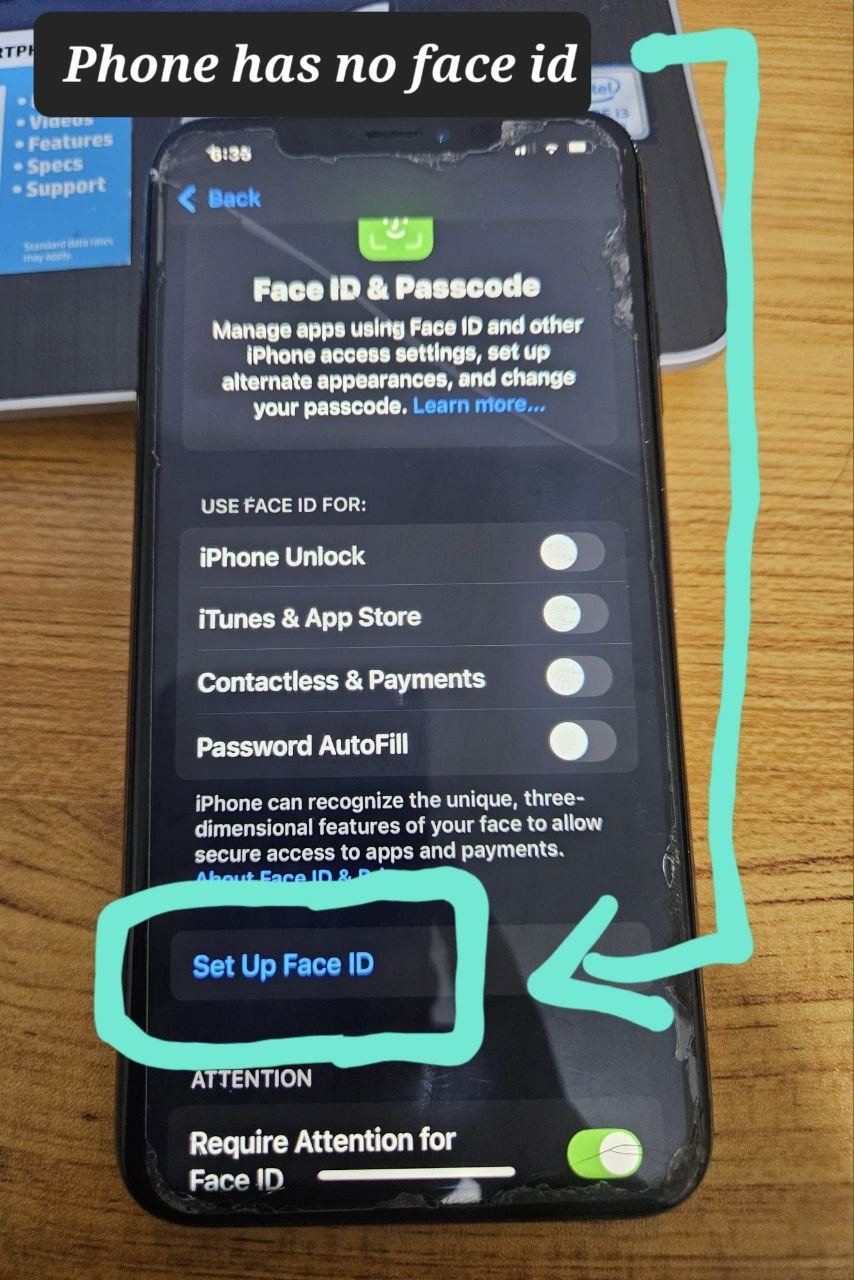
Verify the device's Face ID settings.
Some devices may allow Face ID to be reset using the device passcode. If the device provides the option to reset Face ID successfully, this may indicate compatibility.
If Face ID cannot be reset or the required option is unavailable → ❌ Not Supported
Please confirm that your device is 100% compatible before placing your order.
The compatibility check takes approximately 1 minute and can help prevent unnecessary delays.
Important: If you place an order and the device is found to be incompatible when the service is being processed, the service fee will still apply. Please verify compatibility carefully before purchasing.
Please have the following ready:
1. Place Your Order
Purchase the service directly through our website.
2. Contact Support
After placing your order, contact us through Live Chat and provide your order number.
3. Follow Support Instructions
Our support team will provide the necessary instructions to proceed with the service.
4. Service Completion
Once the service has been successfully completed, your order will be updated as Successful on our website.
Please follow all instructions provided by our support team carefully to ensure a smooth and successful service.
Delivery time: 20-30 MINUTES
Bulk orders allowed: No
Order type: Serial number
Service type: Other
Submit to verify allowed: No
Cancellation allowed: No
Order processing: Manual